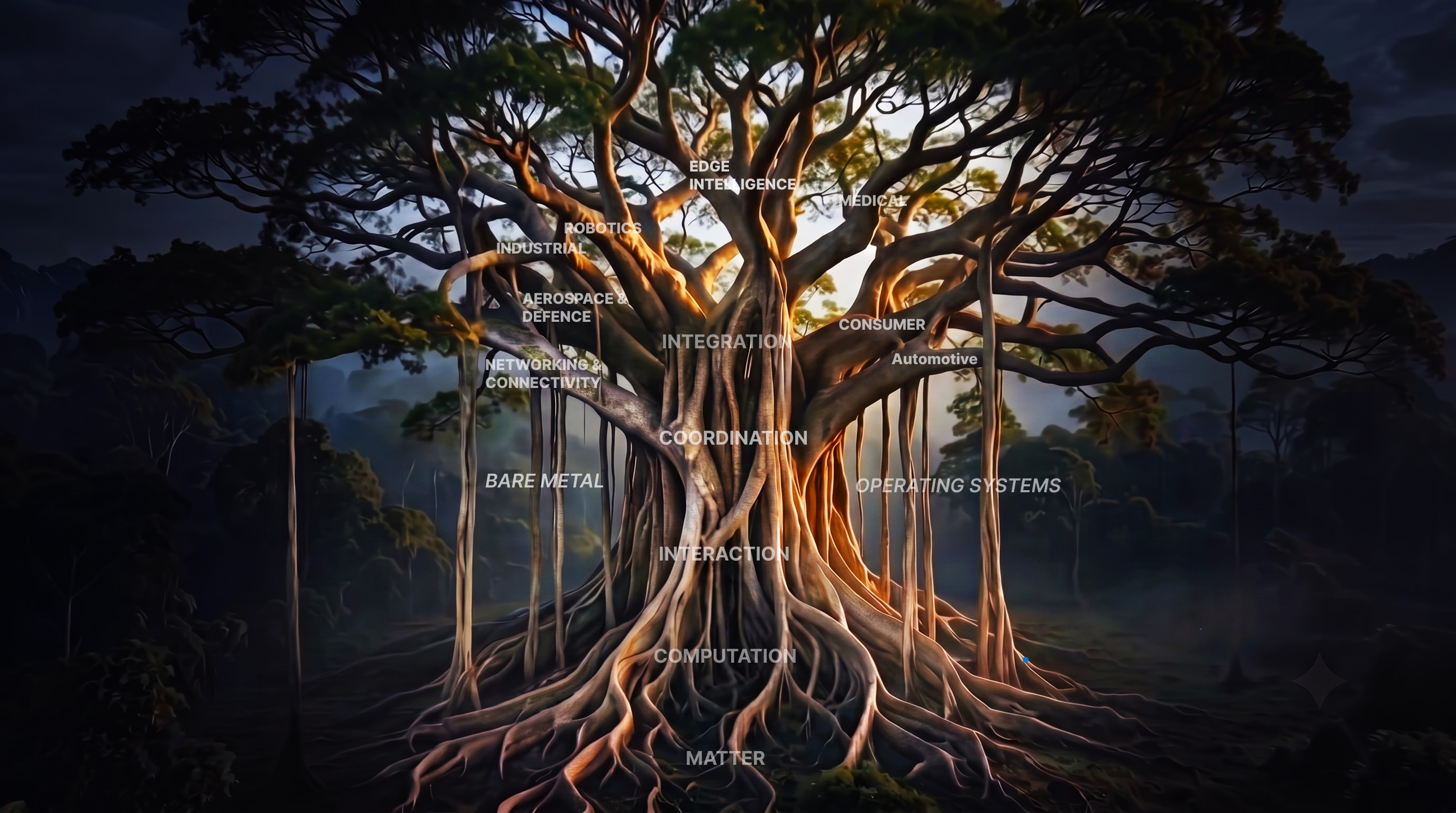
PrajnaEdge is not navigated like a conventional website. Knowledge is represented through paths, structures, and transitions.
Matter
NodeClick a node name to enter that concept and continue along the awakened path.
ExplorationsStep-by-step learning experiences containing theory, architecture, and interactive elements.
SetuA Setu connects related concepts that can be explored independently from the main sequence.
VortexA Vortex opens a path toward another knowledge area, foundation, or future domain.
BlackholeA deeper exploration space opened through the Vortex, where you select the depth of investigation.
AntarguhaA concealed exploration existing outside the regular path, waiting to be discovered within the system.
For the best experience, open PrajnaEdge on a desktop or laptop screen.
PrajnaEdge
A curiosphere for curious minds who want to understand, experiment with, and experience technology.
Technology is a system of connections.
Modern technology is built from layers that continuously interact with one another. At the physical level, electronic devices transform electrical signals into digital information. Digital logic turns that information into computation, while processors, memory and communication interfaces provide the machinery needed to execute instructions and move data. As these components become part of embedded systems, they begin to interact with the physical world through sensors, controllers, actuators and real-time software.
But computation does not exist in isolation. Operating systems coordinate hardware and software, firmware gives specialized machines their behaviour, and communication protocols allow independent systems to exchange information. At the same time, machine learning is moving beyond the cloud into edge and on-device systems, where models must operate within real constraints such as memory, processing power, latency and energy consumption.
PrajnaEdge explores these connections as one continuous technology landscape — and takes them beyond explanation. From computing foundations and embedded systems to intelligent machines and edge AI, ideas can be understood, experimented with, and eventually turned into technology that can be experienced in the real world.
PrajnaEdge products and technology experiences are currently in development.
In Development
Playground
Experiment with intelligence beyond the cloud.
AI inference performed closer to where data is generated — optimizing model representation to reduce latency, memory footprint, and bandwidth requirements.
Run an optimized, trained model directly on physical embedded silicon.
Cloud AIComing Soon
Model Training & Representation
Explore how neural networks learn representations from data before compression and deployment. Future experiments will allow adjusting learning parameters—such as learning rate, epoch counts, and batch sizes—to observe loss trajectories and decision boundaries.
Edge AIComputer Vision
Image Classification
Can this image classifier maintain its intelligence while becoming small enough for the edge?
On-device AIAI-Thinker ESP32-CAM
On-device Image Classification
Run a fully quantized INT8 image-classification model directly on embedded hardware.
On-device AIComing Soon
On-Device Model Adaptation
Can a constrained edge device adapt or fine-tune model parameters directly using local data? Exploring on-device transfer learning and few-shot adaptation under strict compute, memory, and thermal limits.
Edge AI Playground
Image Classification
Can this image classifier maintain its intelligence while becoming small enough for the edge?
Choose an image
Upload an image
Supports JPG, JPEG, PNG
This classifier recognizes only Apple, Banana, and Orange. Other objects may be incorrectly classified as one of these classes.
Run a fully quantized INT8 image-classification model directly on embedded hardware.
This experiment investigates preparing a compact INT8 TensorFlow Lite model for direct inference on resource-constrained embedded hardware. The model uses the same CNN architecture as the Edge AI exploration, converted to a full INT8 representation to classify three classes: Apple, Banana, and Orange.
Practical guides to embedded systems and engineering.
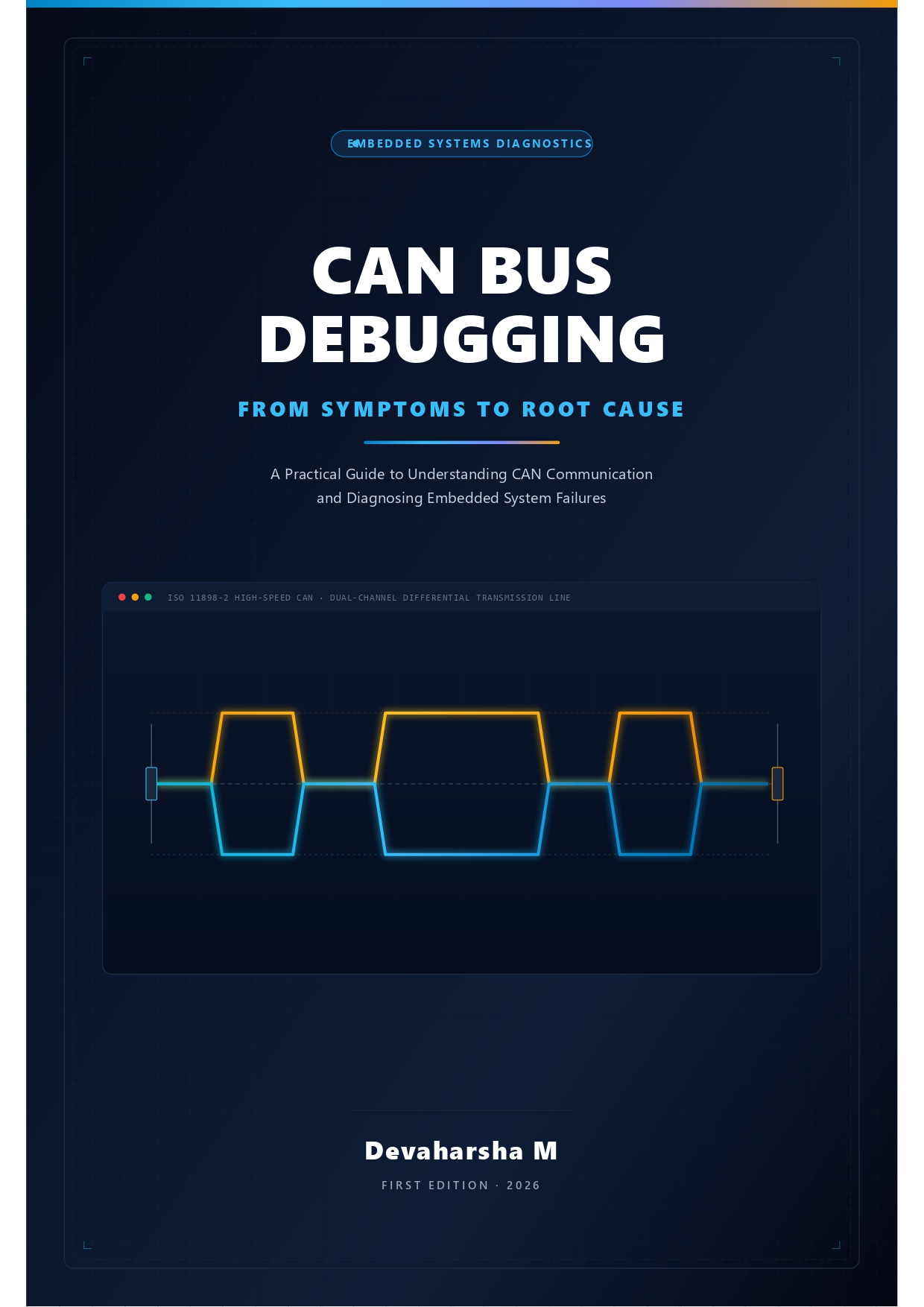
Automotive · EmbeddedProtocol Debugging
CAN Bus Debugging: From Symptoms to Root Cause
Select
United States
United Kingdom
Germany
France
Spain
Italy
Netherlands
Japan
Brazil
Canada
Mexico
Australia
India
Edge AI Demonstrations
Deploying neural networks and intelligent decision loops on raw silicon targets.
Sort:
Operating Systems
When Code Comes Alive
How a program becomes something the Kernel can manage.
ProcessThreadProgramKernelCPUOperating Systems
1. The Passive Blueprint
When you compile your C or assembly code, the toolchain generates an ELF binary or raw hex file.
But what actually runs when you power on the processor? Is it the program itself, or is it something else?
* A Program is a static collection of instructions and data sitting passively on your flash memory or hard drive. It does nothing on its own.
* A Process is the active, living instance of that program loaded into memory and running under the supervision of the Kernel.
To understand how operating systems coordinate concurrent software, we must trace this transition from passive instructions to active execution paths.
2. The Execution Hierarchy
Before we dive into the scheduling algorithms, we must establish a clear hierarchy of running software:
The Execution Hierarchy
3. Active Execution: The Process
When the Kernel loads a Program into RAM, it creates a Process. A Process is not simply a copy of the code; it is a complete, isolated sandbox.
The Process owns all resources required for execution:
* Private Memory Space: Isolated regions of RAM that other processes cannot read or modify.
* Resources: File descriptors, network sockets, and hardware ports assigned to that running application.
* Execution State: Status metrics tracking credentials, privileges, and context data.
Within this Process sandbox runs the actual work. This is the role of the Thread.
A Thread is the actual path of execution inside a Process. A Process represents resource ownership; a Thread represents execution state. Every Process has at least one Thread, but advanced applications can spawn multiple Threads that share the same Process memory space.
4. Inside the Container
To understand the relationship between a Process and its Threads, we can look at how resources are shared inside the container:
Process vs. Thread Architecture
5. The Anatomical View
When the Kernel manages a Process, it maps out a strict layout within the system RAM. This structure contains both the program resources and the execution states of the threads:
* Program Code (Text): The compiled machine instructions read directly from flash or disk. This region is read-only to prevent programs from modifying themselves.
* Stack: A fast, private memory region allocated to each thread. It tracks active function calls, parameters, local variables, and return targets.
* Heap: A large dynamic memory pool used by the application during runtime. Memory is requested via malloc or new and must be freed explicitly.
* Registers: High-speed hardware CPU storage slots. When a thread is executing, it writes directly to registers. When it yields, its register state must be saved.
* Program Counter (PC): The specialized CPU register that holds the memory address of the next machine instruction to be executed by the active thread.
* Process State: Flags and identifiers monitored by the Kernel that track process privileges, identity numbers, and current execution eligibility.
6. The Unit of Orchestration
In the previous exploration, we saw that the Kernel coordinates system resources. Now we can see the exact target of that coordination.
The Kernel does not interact with static files or programs directly. It schedules the active execution threads running within a Process sandbox. The Process acts as the boundary of resource ownership:
* A crash inside one Process is isolated. Because Process RAM blocks are separated, one application cannot accidentally overwrite or crash another.
* Before the Kernel can schedule clock cycles or allocate RAM space, it first needs a Process structure.
The Process is the fundamental container of running code that makes multiplexed operating systems possible.
7. The Lifecycle
The Kernel maintains a complete tracking directory of all active processes. But a process does not remain in the same execution state forever.
As it runs instructions, waits for network packets, yields to high-priority tasks, or shuts down, its execution eligibility changes. The Kernel must continuously monitor and adjust these states to maintain high performance.
The journey of execution is mapped through these changing stages.
The Lifecycle of Execution
A process is not a static container. It is a dynamic, living entity.
As it executes instructions, handles hardware inputs, and waits for memory resources, its relationship with the CPU changes.
The Kernel must continuously track this changing behavior to decide who runs next.
The journey of execution is mapped through these changing states.
A program is a map, a process is the journey, and the thread is the step.
Engineering concepts you don't just read — you experience.
Founded in 2026.
PrajnaEdge is a technology company exploring the space between understanding technology, experimenting with ideas, and turning them into things that can be experienced.
Our Mission
To make technology easier to explore, deeper to understand, and more exciting to experience.
Our Vision
To build a technology ecosystem where curiosity, experimentation and creation continuously lead to one another.
Where it began
Embedded Systems
PrajnaEdge began with Embedded Systems — exploring the foundations that connect hardware, software and intelligent computation.
The first technology universe is built around that foundation. The journey will expand as new ideas, experiments and products emerge.
I am the engineer behind the design, development, and content of PrajnaEdge. I build low-level systems where code directly controls hardware, bridging the gap between register-level silicon behavior and intelligent edge decision loops.
I am an Embedded Firmware Engineer focused on developing software for resource-constrained systems. My experience spans bare-metal firmware, device drivers, microcontroller peripherals, and communication protocols, working across the boundary between hardware and software.
My work has involved microcontroller-based systems, real-time behaviour, hardware interfaces, and communication technologies such as CAN, CAN FD, UART, SPI, and I²C. I am particularly interested in understanding systems from the lowest level upward—from registers and peripherals to intelligent edge systems.
ENGINEERING PHILOSOPHY
Engineering is not just about writing code; it is about managing constraints, timings, and physical hardware characteristics. True mastery of complex systems comes from understanding the interactions across different layers of the stack.
This conviction is why I built PrajnaEdge—to bridge the gap between conceptual theory and direct, register-level physical reality.
Where it all began — understanding the physical layer of computation. Circuits, signals, and systems gave me a mental model of how information moves through hardware.
⬡
Connects to Systems Understanding circuits directly enables writing firmware that talks to peripherals at the register level.
What it is
BTech in Electronics and Communication
Undergraduate foundation covering analog & digital circuits, signal processing, microprocessors, and communication systems.
CircuitsSignal ProcessingMicroprocessorsVLSI
What I did
Core Engineering Fundamentals
Studied semiconductor physics, digital logic design, and embedded microcontrollers. Built prototypes using 8-bit MCUs.
8051Logic DesignPCB Basics
What I learned
The Hardware Mental Model
Every software abstraction sits on physical reality. Understanding silicon teaches you why timing, power, and noise are first-class engineering problems.
Let's Connect
Interested in embedded systems, AI, or building something meaningful? I'd love to hear from you.
PrajnaEdge is an independent education platform built to make knowledge freely accessible.
If you find PrajnaEdge useful, you can support its continued development.
Your support helps fund the time, tools, infrastructure, and experimentation that go into building and maintaining PrajnaEdge.
Select Region
Select Amount
₹
Select an amount to support PrajnaEdge.
Legal & Privacy
Last updated: September 2026
1. Terms of Use
Welcome to PrajnaEdge (prajnaedge.dev), an independent engineering and technology platform created and maintained by Devaharsha Meesarapu. By using this website, you agree to these terms.
Educational & Research Focus: PrajnaEdge publishes interactive technical explorations, architectural models, and simulation walk-throughs covering embedded systems, computer architecture, operating systems, and edge artificial intelligence. All materials, interactive tools, and code demonstrations are provided solely for educational and conceptual understanding.
Hardware & Firmware Disclaimer: Embedded programming interacts directly with hardware registers, physical voltages, and precise timing. While all writeups and code demonstrations are prepared with care, they are provided "as is" without warranty of any kind. You are responsible for reviewing component datasheets, circuit schematics, and electrical ratings before deploying code to physical microcontrollers or custom hardware.
PrajnaEdge is committed to user privacy and minimal data collection. We do not sell, rent, or monetize your personal information.
Voluntary Correspondence: When you submit a message through the Contact or Feedback forms, or write directly to contact@prajnaedge.dev, we receive your name, email address, and message. This information is used strictly to reply to your inquiry.
Server Diagnostics: Standard web hosting infrastructure automatically logs basic technical access data (such as IP address, browser type, and timestamps) for server security, performance monitoring, and error diagnostics.
Local Storage: PrajnaEdge uses client-side browser localStorage purely to remember your interface preferences on your device (such as sound preferences for animations and tutorial display states). No personal identity data is stored in localStorage.
3. Advertising & Cookies
To help support platform operation and hosting, PrajnaEdge displays advertisements served by third-party advertising partners, including Google AdSense.
Advertising Cookies: Google and other third-party vendors use cookies to serve ads based on your prior visits to this website and other websites across the Internet.
DoubleClick / DART Cookie: Google's use of advertising cookies enables it and its partners to serve ads based on your visit to PrajnaEdge and other sites on the web.
Third-Party Ad Networks: When advertisements are requested by your browser, third-party ad networks automatically receive your IP address and may use technologies such as cookies or web beacons to measure ad effectiveness. PrajnaEdge does not control these cookies set by third-party advertisers.
4. Analytics
We use Google Analytics (measurement tag: G-6Y8ZVQB1V0) to evaluate anonymous, aggregate usage trends across our technical writeups.
Aggregate Telemetry: Google Analytics uses cookies to collect anonymous metrics such as page visit counts, device screen sizes, and navigation flows. This data helps us optimize responsive layouts and focus on high-interest topics.
Voluntary Support (Razorpay): If you choose to support PrajnaEdge through the Support page, transactions are handled through Razorpay's PCI-DSS compliant checkout interface. PrajnaEdge never handles, collects, or stores payment card numbers, UPI PINs, or banking credentials.
5. User Rights & Contact
Depending on your jurisdiction (including rights under GDPR, CCPA/CPRA, and applicable privacy laws), you have the right to request access to, correction of, or deletion of any personal communications you have submitted. We do not sell personal data.
For any questions regarding these terms, privacy practices, or data inquiries, contact the creator directly: